Streamline editorial planning, ad placement, and layout production in one unified system. From issue planning to final pagination, manage every step of your production workflow without switching tools.
A production workflow system for magazines centralizes issue planning, ad placement, editorial scheduling, and pagination in one platform. It replaces manual flatplans and disconnected spreadsheets, allowing sales, production, and editorial teams to work from a single source of truth.
The Magazine Manager's Production Workflow module helps reduce the complexity of disconnected spreadsheets, email threads, and manual flatplans. Editorial teams, production managers, and ad sales reps working to streamline workflows can work from a single source of truth—helping to reduce errors, speed up issue close, and support accurate ad placement.

Trusted by teams like yours








A production workflow system centralizes issue planning, ad placement, editorial scheduling, and pagination into one platform.
For magazine publishers, production workflow software can replace manual flatplans and disconnected tools with a digital system that tracks pages, ad units, and editorial pieces. The Magazine Manager's production module integrates with publishing CRM for managing multi-issue ad contracts and automated billing and invoicing, so when a sales rep books a multi-issue contract, the production team can see those placements.
Production managers can assign pages, track editorial progress, manage advertiser materials, and generate flatplans—within the same platform sales and accounting teams use.

The Magazine Manager connects ad orders, editorial timelines, and pagination tools in a single workflow.
When a sales rep closes a deal and creates an insertion order in the ad order management system, that ad placement can flow into the production module. Production managers can see the ad size, issue date, preferred position, and any special instructions.
Editorial teams can plan content using the same timeline, so production managers can balance editorial pages against ad inventory. As materials arrive from advertisers, the system can track upload status, flag missing files, and send automated reminders.
When it's time to paginate, the flatplan view shows pages, ads, and editorial pieces in one visual layout. Changes can sync across departments. If a sales rep moves an ad to a different issue, production can see the update. If an advertiser uploads a revised creative, the production team can be notified.

Purpose-built tools for magazine production teams managing multiple titles and complex issue schedules.
Magazine production workflow management tools provide digital flatplans, automated ad placement from CRM data, material tracking with deadline reminders, editorial timeline integration, multi-title support, and real-time collaboration. These purpose-built features help production teams manage complex issue schedules across multiple publications.
Publishers using integrated production workflows report measurable efficiency gains.
Visual page-by-page layouts showing ad placements, editorial content, and available inventory. Drag-and-drop interface designed to help adjust placements, balance spreads, and finalize pagination before sending to print.
When a sales rep books a multi-issue contract, the system can auto-create ad placements for every issue. Production managers can see those placements, with size, position preferences, and deadlines already populated.
Track advertiser creative uploads, flag missing materials, and send automated reminders as deadlines approach. Production teams can see which ads are ready and which need follow-up.
Plan editorial content alongside ad inventory. See how much editorial space may be available after ad commitments, assign stories to writers, and track editorial deadlines in the same system.
Manage production workflows for multiple magazines, newsletters, or digital editions from one platform. Each title gets its own calendar, flatplan, and reporting—with roll-up visibility at the publisher level.
Sales, production, and editorial teams work from the same live data. When one department makes a change, everyone can see it. Designed to reduce version control issues or conflicting flatplans.
Document how ad orders flow from sales to production, how editorial content is planned, and where bottlenecks occur. Identify which steps require manual data entry or duplicate work across systems.
Set up your publication schedule, define issue close dates, and establish material deadlines. The Magazine Manager allows you to create recurring issue templates for monthly or quarterly publications.
Migrate active contracts and upcoming placements into the system. The migration team helps ensure data accuracy and trains your production staff on the new workflow.
Show production managers how to view ad placements, assign pages, track materials, and generate final pagination reports.
Ensure sales reps understand that new ad orders can populate in production. Establish protocols for position requests, material uploads, and last-minute changes.
Use reporting tools to track issue close times, material submission rates, and production bottlenecks. Adjust workflows based on real data to continuously improve efficiency.

Why integrated production systems can outperform spreadsheet-based workflows.
Integrated production workflow systems outperform manual flatplans by automating ad placement entry, tracking materials with automated reminders, unifying multi-title management, enabling real-time collaboration, and providing built-in analytics. Publishers switching from spreadsheets to integrated systems report significant workflow improvements.
The Production Workflow Advantage: Publishers using The Magazine Manager's integrated approach benefit from streamlined coordination between sales, production, and editorial teams—reducing manual data entry and accelerating issue close.
| Feature | The Magazine Manager | Manual / Spreadsheets |
|---|---|---|
| Ad Placement Entry |
✓
Automatic population from CRM when order is created |
✗
Manual entry into spreadsheet after sales rep closes deal |
| Material Tracking |
✓
Automated reminders and upload status tracking |
✗
Email follow-ups and manual checklists |
| Multi-Title Management |
✓
Unified dashboard with roll-up reporting |
✗
Separate spreadsheets for each magazine |
| Real-Time Collaboration |
✓
Single source of truth with instant updates |
✗
Version control issues and conflicting files |
| Reporting and Analytics |
✓
Built-in reports on issue close times and material submission rates |
✗
Manual data aggregation for production metrics |
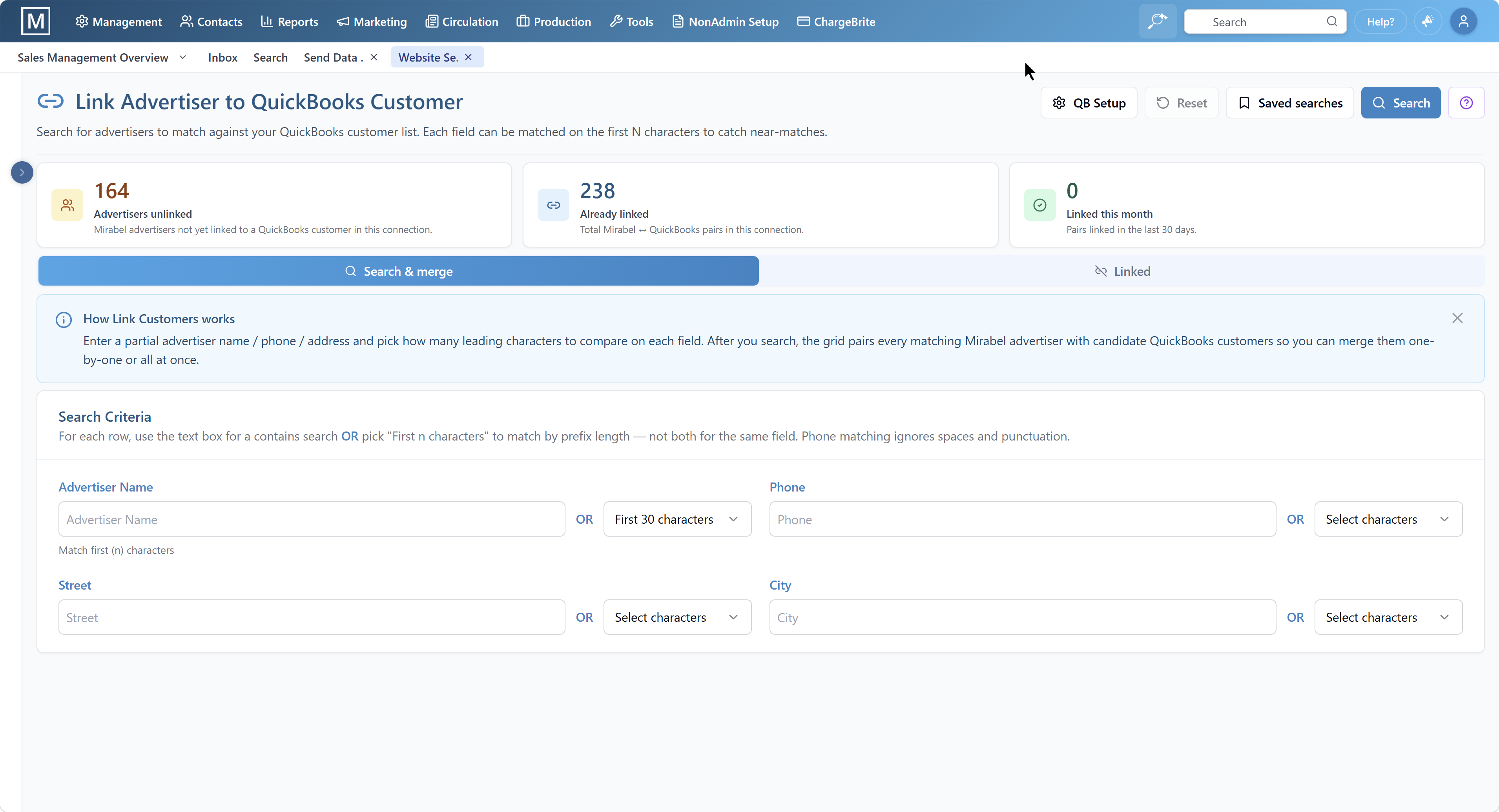
See how The Magazine Manager's production workflow turns every issue from chaos into a coordinated, on-schedule ship — from ad arrival to flatplan to final pagination.
Common production workflow mistakes include relying on email for material tracking, keeping ad orders and flatplans in separate systems, failing to plan editorial alongside ad inventory, not automating multi-issue placements, and ignoring production bottlenecks. Avoiding these pitfalls helps publishers reduce errors and accelerate issue close.
Email threads get lost, deadlines are missed, and production managers waste time chasing down files. Use a system that tracks uploads and sends automated reminders. Publishers report fewer missed material deadlines after implementing automated tracking.
When sales and production data live in disconnected tools, errors can multiply. Every time a sales rep updates an order, production may need to manually update the flatplan. Integrated systems can eliminate duplicate work in magazine production.
If editorial teams plan stories without knowing how much space is available after ad commitments, last-minute layout changes can become more likely. Plan editorial and ad content in the same timeline.
When a sales rep books a six-issue contract, manually creating six separate placements is inefficient and error-prone. Automation helps ensure every placement is created correctly and saves time with each multi-issue contract.
If issue close consistently runs late, analyze where delays occur. Are advertisers submitting materials late? Are production managers spending too much time on manual data entry? Use reporting tools to identify and address bottlenecks.

Production teams using The Magazine Manager report improved efficiency, reduced errors, and better cross-departmental coordination. Customer testimonials highlight the value of integrated CRM, billing, and production modules working together in one platform.
The Magazine Manager is the Best Rated Magazine CRM on Capterra, with high user satisfaction ratings across production workflow features. Publishers consistently cite the integrated approach as a key differentiator.
“Magazine Manager is tailored to our industry and they are always looking for ways to get more from the data so I can make informed decisions on the progress of our publications. With the CRM, billing, and production modules everyone uses the same software making it much easier for everyone to do their job.”

Magazine production workflow software integrates with ad sales CRM systems, supports multi-title publishers, tracks late materials with automated follow-up, typically implements in 4-6 weeks, works for both print and digital editions, and allows editorial teams to collaborate in the same platform.
When a sales rep creates an insertion order in the ad order management system, the ad placement can appear in the production module. Production managers can see the ad size, issue date, position preferences, and material deadlines without manual data entry. Changes can sync in real time across departments.
Yes. The Magazine Manager supports multi-title publishers with separate production calendars, flatplans, and reporting for each magazine. Production managers can view all titles in one dashboard or drill down into individual publications.
The system tracks material upload status and sends automated reminders as deadlines approach. Production managers can see which ads are ready and which need follow-up. If materials arrive late, the production team can adjust the flatplan and notify the sales rep. Publishers using automated material tracking report fewer late submissions.
The migration team helps configure issue calendars, import existing ad orders, and train production managers on digital flatplans. Most publishers complete implementation in 4-6 weeks and see measurable efficiency improvements within the first two issue cycles. Ongoing support helps ensure smooth adoption.
Yes. The Magazine Manager supports both print and digital production workflows. Publishers can manage print flatplans and digital ad zones in parallel, with placements syncing when sales reps book combo packages. B2B publishers report fewer cross-format placement errors using this approach.
Yes. Editorial teams can plan content using the same timeline production managers use for ad placements. This helps ensure editorial and ad inventory are balanced, reducing last-minute layout changes and improving coordination between departments. Integrated editorial planning reduces layout revisions.
Why integrated production workflows are valuable for modern publishers.
Magazine production has evolved from manual paste-up boards to digital pagination tools, but many publishers still rely on disconnected systems that require duplicate data entry and manual coordination between departments. Integrated production workflows combine ad sales, editorial planning, and pagination into a single platform. When sales reps book ad orders, placements can populate in production calendars. When advertisers upload materials, production teams can receive notifications. When editorial teams plan content, they can see how much space may be available after ad commitments. This level of integration can help eliminate errors, speed up issue close, and allow production managers to focus on layout quality instead of administrative tasks. The Magazine Manager's production module was built for magazine publishers managing multi-title operations, with features designed around the workflows production managers use.
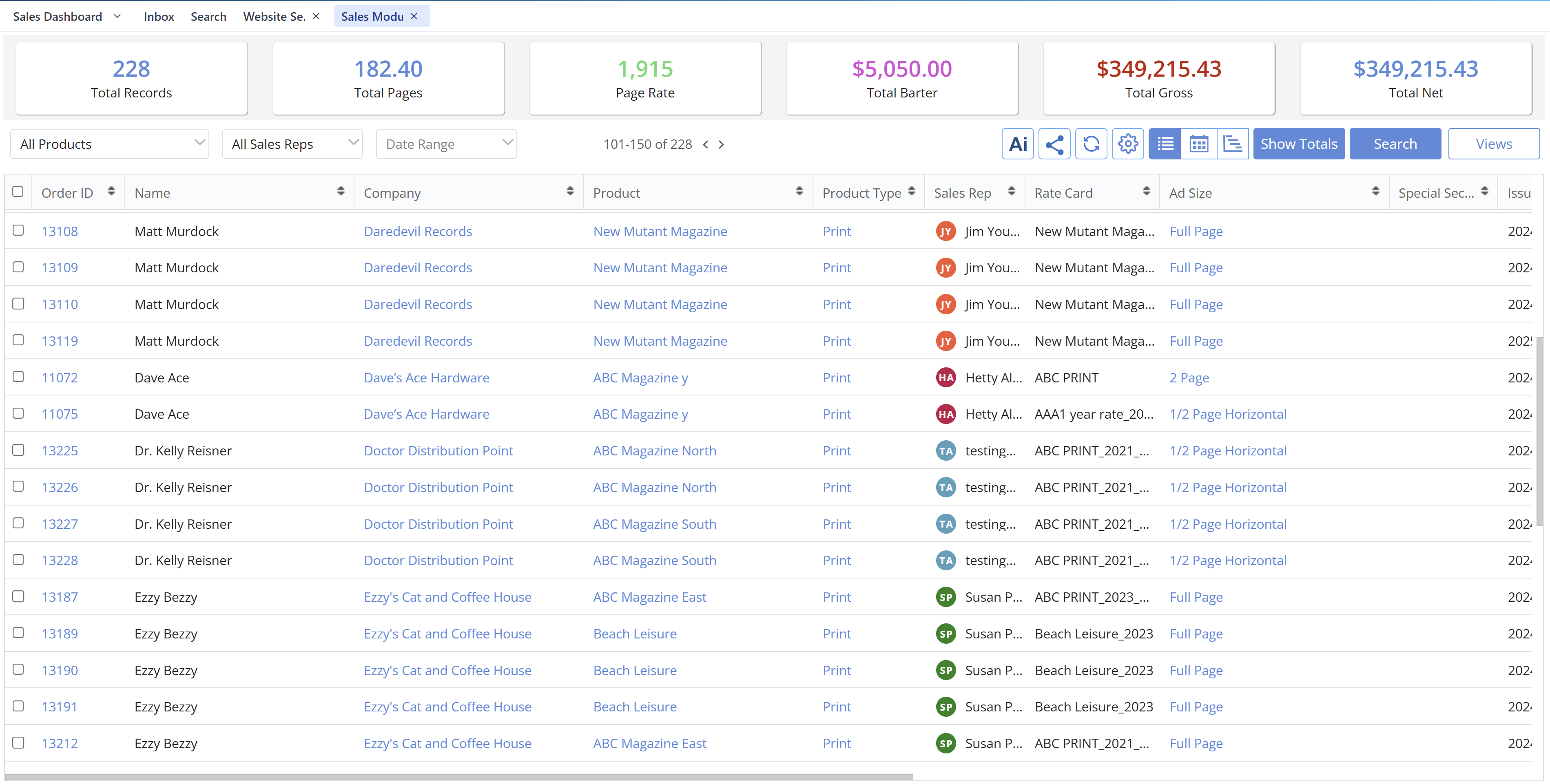
Schedule a personalized demo to explore digital flatplans, automated ad placement, material tracking, and multi-title management features designed specifically for magazine publishers.
The Magazine Manager's Production Workflow module replaces manual flatplans with an integrated digital system. When sales reps close deals in the publishing CRM, ad placements automatically populate in production layouts, eliminating duplicate data entry and reducing errors.
Production managers gain visual page-by-page views showing ad units, editorial content, and available inventory. Material tracking, deadline management, and team collaboration happen in one centralized platform—eliminating duplicate data entry, reducing errors, and accelerating issue production timelines.