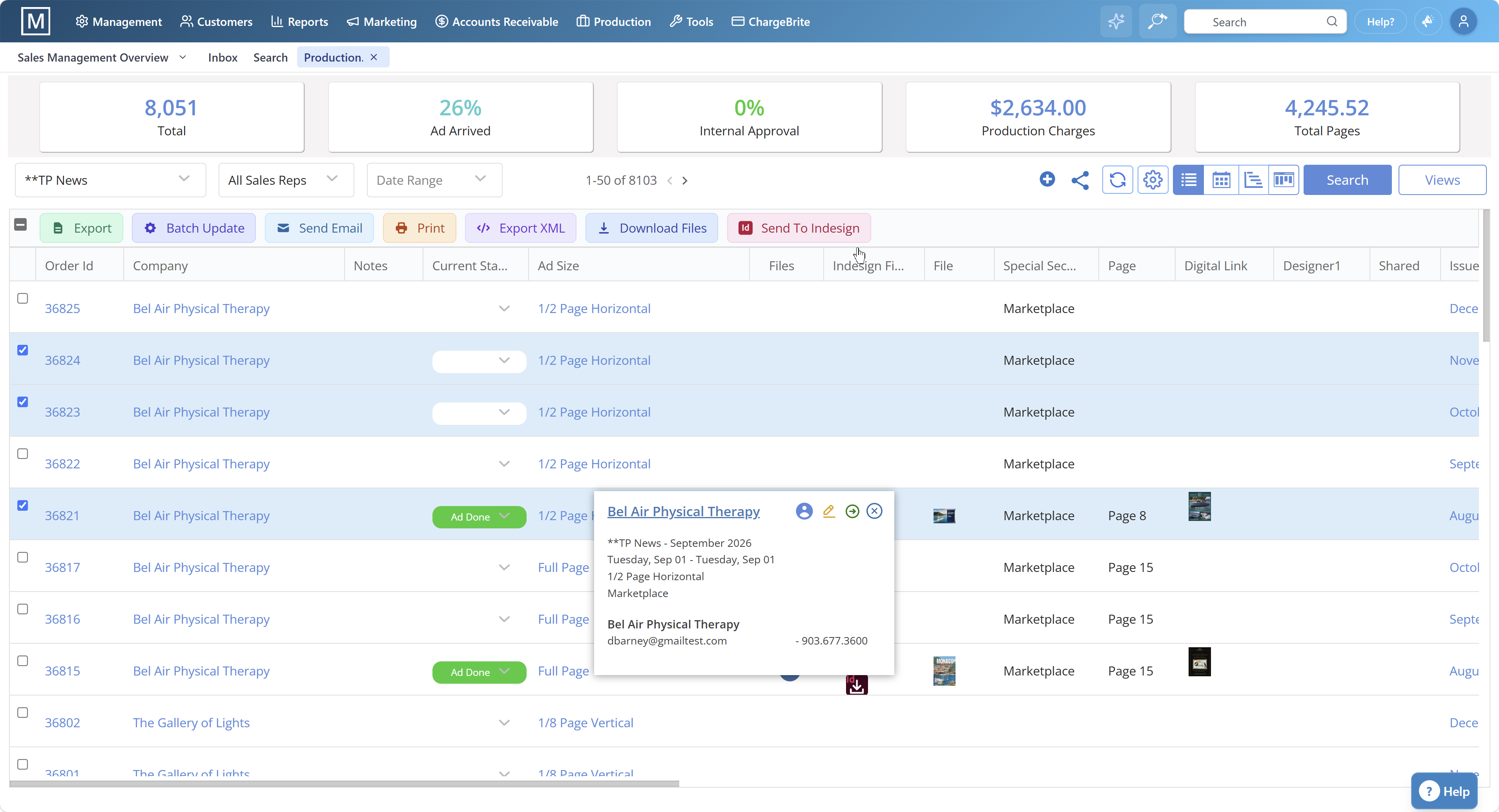
Magazine reporting and analytics software consolidates ad order management data, automated billing and invoicing, production workflow tracking, and publishing CRM customer data into unified dashboards. Publishers track revenue, aging receivables, issue profitability, and sales rep performance in real time—eliminating manual spreadsheets.
Trusted by teams like yours








Here's where off-the-shelf platforms fall short for magazine businesses.
Generic CRMs export data to Excel. You're manually reconciling magazine ad order management system data with billing and production—wasting hours weekly on version control.
Salesforce and HubSpot don't track aging receivables by advertiser, issue profitability, or sales rep performance metrics unique to magazine workflows.
Managing multiple magazine titles? Rolling up revenue, pipeline, and production metrics across products requires expensive custom development in generic platforms.
Your CRM, billing system, and production tools don't talk. Reporting requires manual exports, data cleanup, and reconciliation—introducing errors and delays.
Generic CRMs show pipeline, but not actual billed revenue, aging balances, or cash flow. Publishers need integrated financial reporting, not just sales forecasts.
How does your DSO compare to industry average? Generic platforms don't provide publishing-specific benchmarks.
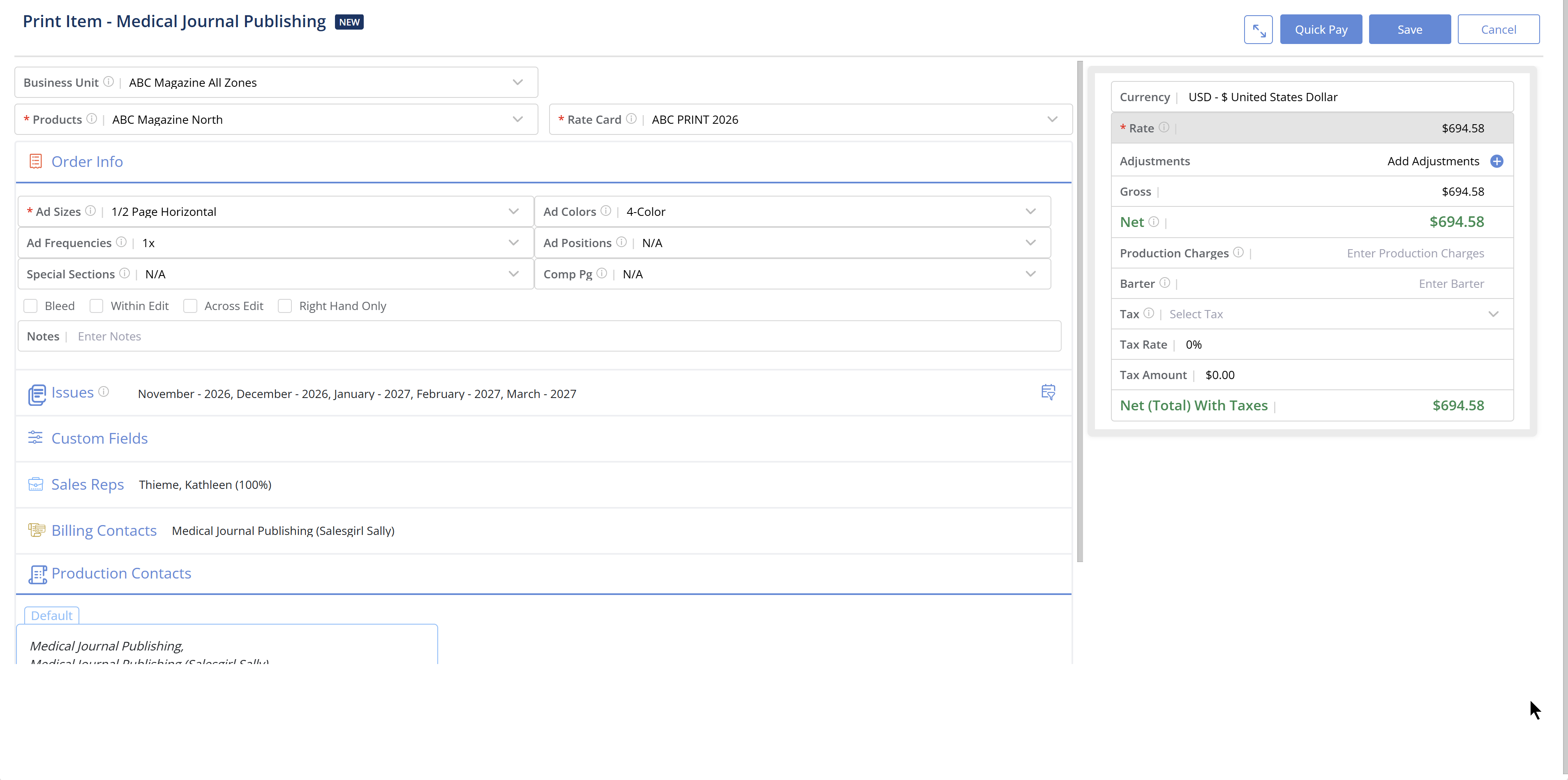
Track billed revenue, aging receivables, issue profitability, and cash flow in unified dashboards. Filter by title, rep, advertiser, or product—no spreadsheet exports required.
Identify slow-paying clients with detailed aging reports by advertiser, invoice date, and payment terms. Automate dunning workflows and prioritize collections.
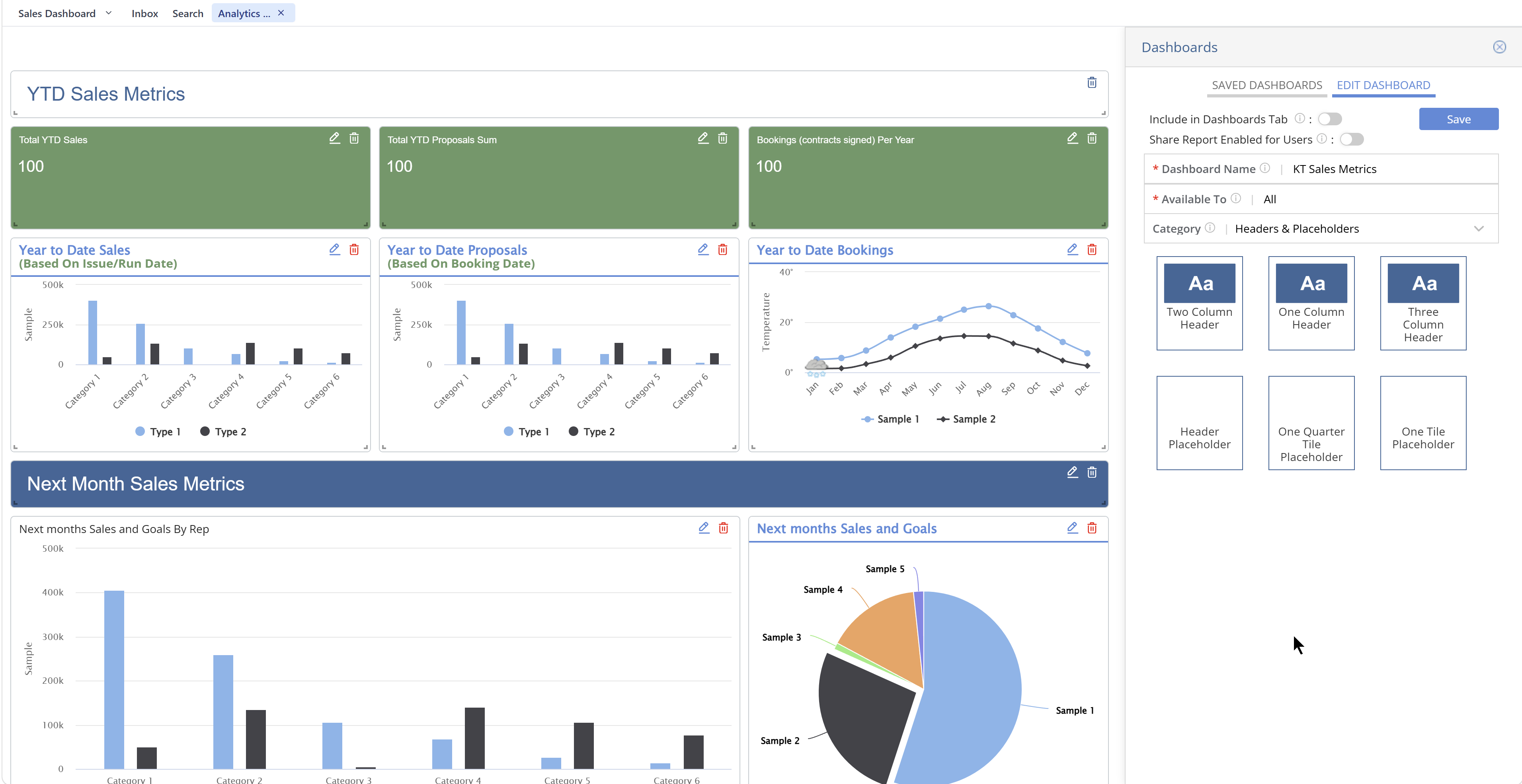
Measure calls logged, proposals sent, deals closed, and revenue generated by rep. Identify top performers and coaching opportunities with objective activity metrics tied to sales productivity.
Manage multiple magazine titles from one platform. Roll up pipeline, revenue, production costs, and account activity at the publisher level—native functionality, no custom code.
Analyze production costs, ad-to-editorial ratios, print run efficiency, and per-issue profitability. Compare planned versus actual costs to optimize resource allocation.
Schedule daily, weekly, or monthly email delivery of critical reports to stakeholders. Configure alerts for revenue thresholds, aging balances, or production delays.
The reporting for a sales manager — and accounting — is outstanding. ... With this software, we are able to quickly and easily pull targeted email lists to generate sales, electronically invoice clients in literally minutes, take payments, and with a click of a button know what our clients' ad schedules are, what they have paid and what they owe.
Lisa B.
Publisher · Verified Capterra Reviewer
Magazine Manager is tailored to our industry. ... With the CRM, billing, and production modules everyone uses the same software making it much easier for everyone to do their job.
Dean M.
Publisher · Verified Capterra Reviewer
Magazine reporting and analytics software consolidates magazine ad order management, automated billing and invoicing, magazine production workflow tracking, and publishing CRM customer data into unified dashboards. Publishers track revenue, aging receivables, issue profitability, and sales rep performance in real time—eliminating manual spreadsheets.
Magazine Manager uses role-based access controls, GDPR-compliant data handling, and SOC 2 Type II security standards. Administrators configure user permissions by role (sales rep, manager, accounting, executive) to ensure sensitive financial and customer data is only accessible to authorized personnel.
Yes. Magazine Manager reporting dashboards are fully responsive and accessible via mobile browser. Sales reps can check pipeline, managers can review revenue forecasts, and accounting can monitor aging receivables from any device.
Magazine Manager integrates with QuickBooks, Xero, and other accounting systems for seamless financial data sync. Google Analytics integration tracks digital engagement. API access enables custom integrations with data warehouses and business intelligence tools.
Magazine Manager provides publishing-specific KPI benchmarks by revenue tier, publication frequency, and market segment. Compare your DSO, sales cycle length, renewal rates, and production costs against industry averages.
Salesforce requires custom reports, third-party integrations for billing data, and manual exports for production metrics. Magazine Manager consolidates all data natively—no customization required. Lisa B., a past Salesforce user, wrote that Magazine Manager's reporting is "SO much easier."
HubSpot lacks publishing-specific KPIs like aging receivables by advertiser, issue profitability, or cross-title revenue roll-up. Magazine Manager handles those workflows natively with pre-configured dashboards.
Pricing depends on number of users, titles, and modules. Book a demo for exact pricing and see reporting dashboards live.
The Magazine Manager's reporting module is purpose-built for publishing, with pre-configured reports for ad sales performance, aging receivables, issue profitability, sales rep activity, and subscription renewal rates. Unlike generic business intelligence tools, our system understands magazine-specific workflows including multi-issue contracts, rate cards, insertion orders, and cross-title revenue roll-up. This eliminates manual data exports, spreadsheet reconciliation, and version control issues that plague publishers using disconnected systems.
Watch how The Magazine Manager turns raw publishing data into clear, actionable insights across ad sales, subscriptions, production, and billing — all in one unified dashboard.
Schedule a 30-minute demo. See unified reporting dashboards for ad sales, billing, production, and sales rep performance.
Essential metrics and dashboards that every publishing team needs
Track proposals, contracts, ad orders, revisions, invoicing, and fulfillment across all sales reps and territories. Monitor win rates, average deal size, sales cycle length, and revenue by product, advertiser, and category. See our complete guide to magazine ad sales for best practices.
Identify slow-paying clients with detailed aging reports that show outstanding balances by advertiser, invoice date, and payment terms. Automate dunning workflows and prioritize collection efforts based on risk and revenue impact. Reduce billing errors with automated reporting.
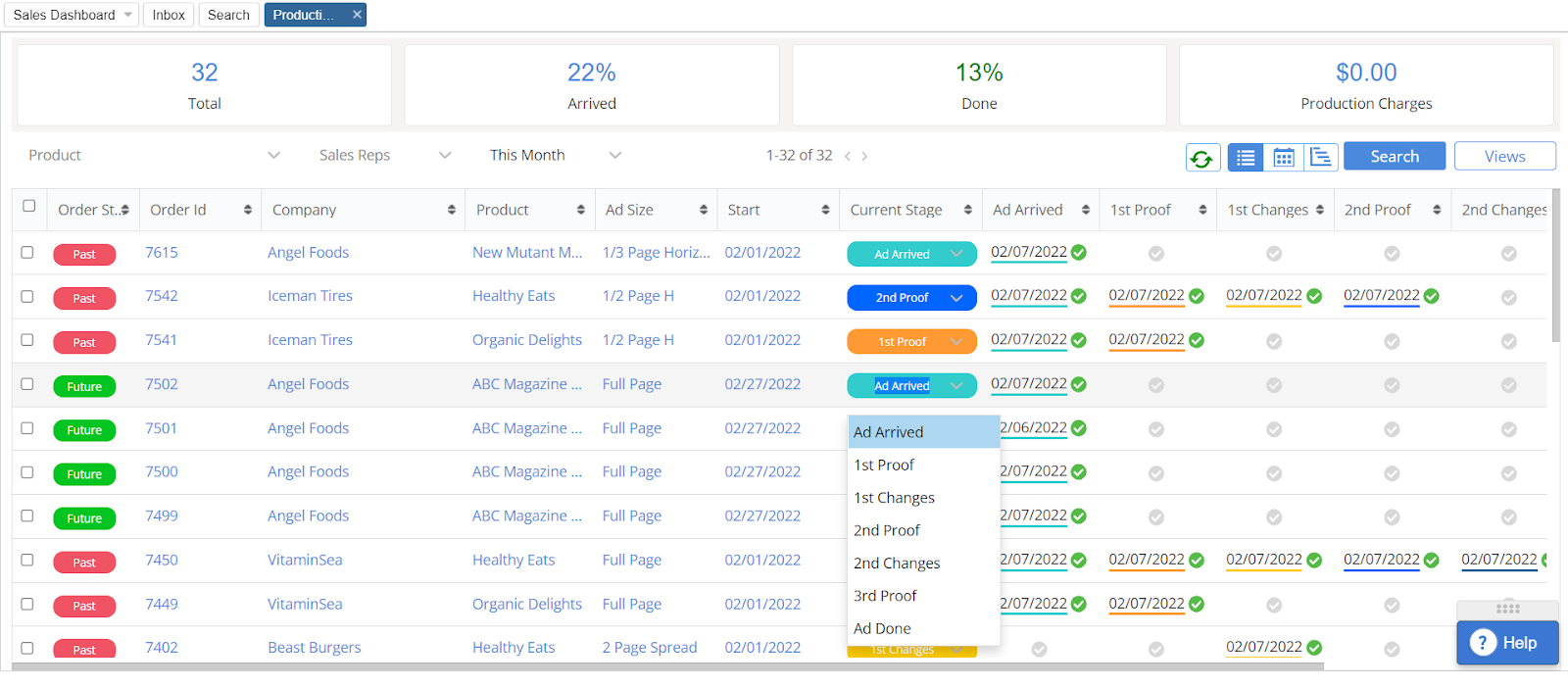
Analyze production costs, ad-to-editorial ratios, print run efficiency, and per-issue profitability. Compare planned versus actual costs to identify budget variances and optimize resource allocation.
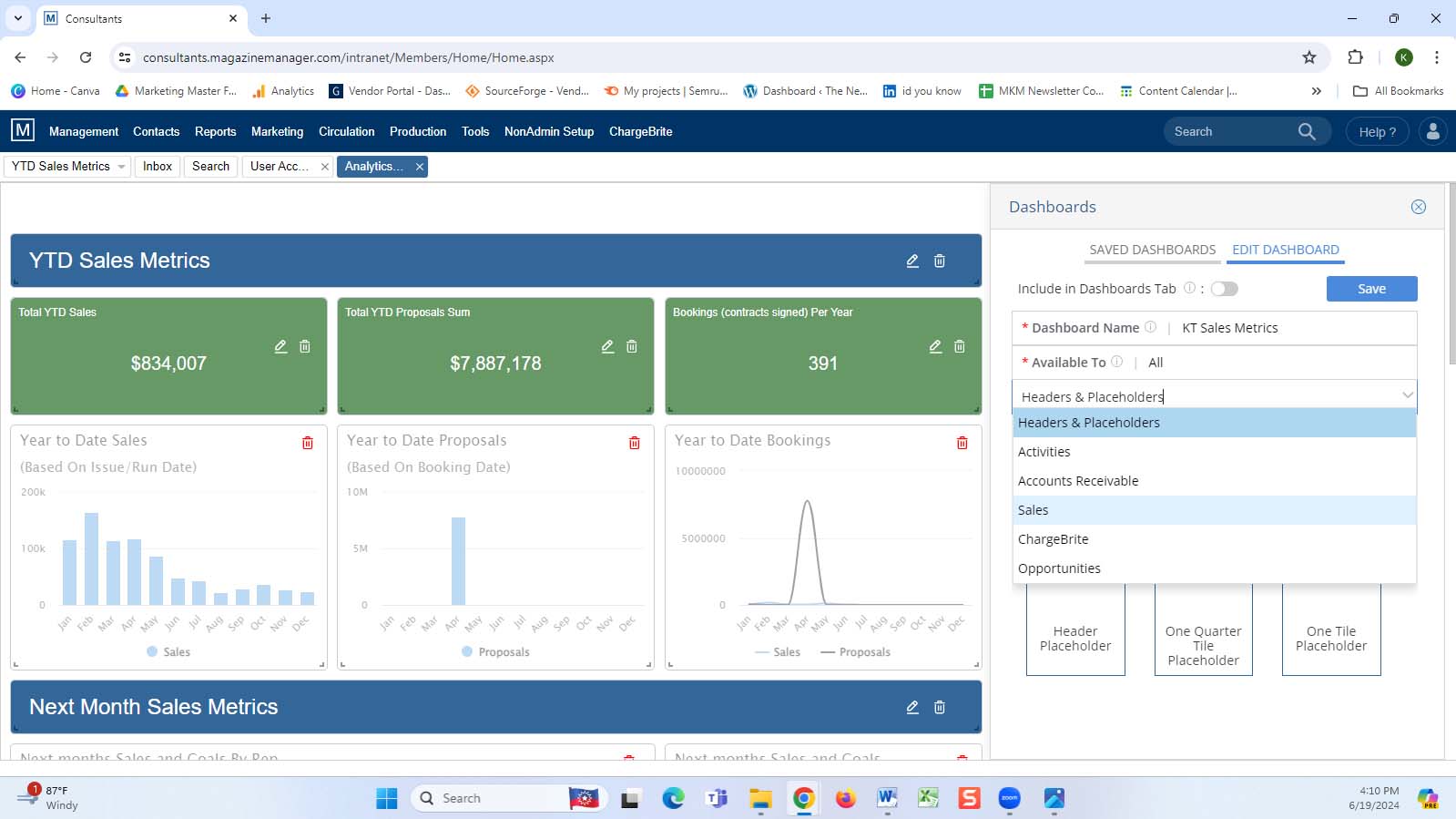
Measure individual and team performance with reports on calls logged, meetings scheduled, proposals sent, deals closed, and revenue generated. Identify top performers and coaching opportunities. Improve sales rep productivity with objective activity metrics.
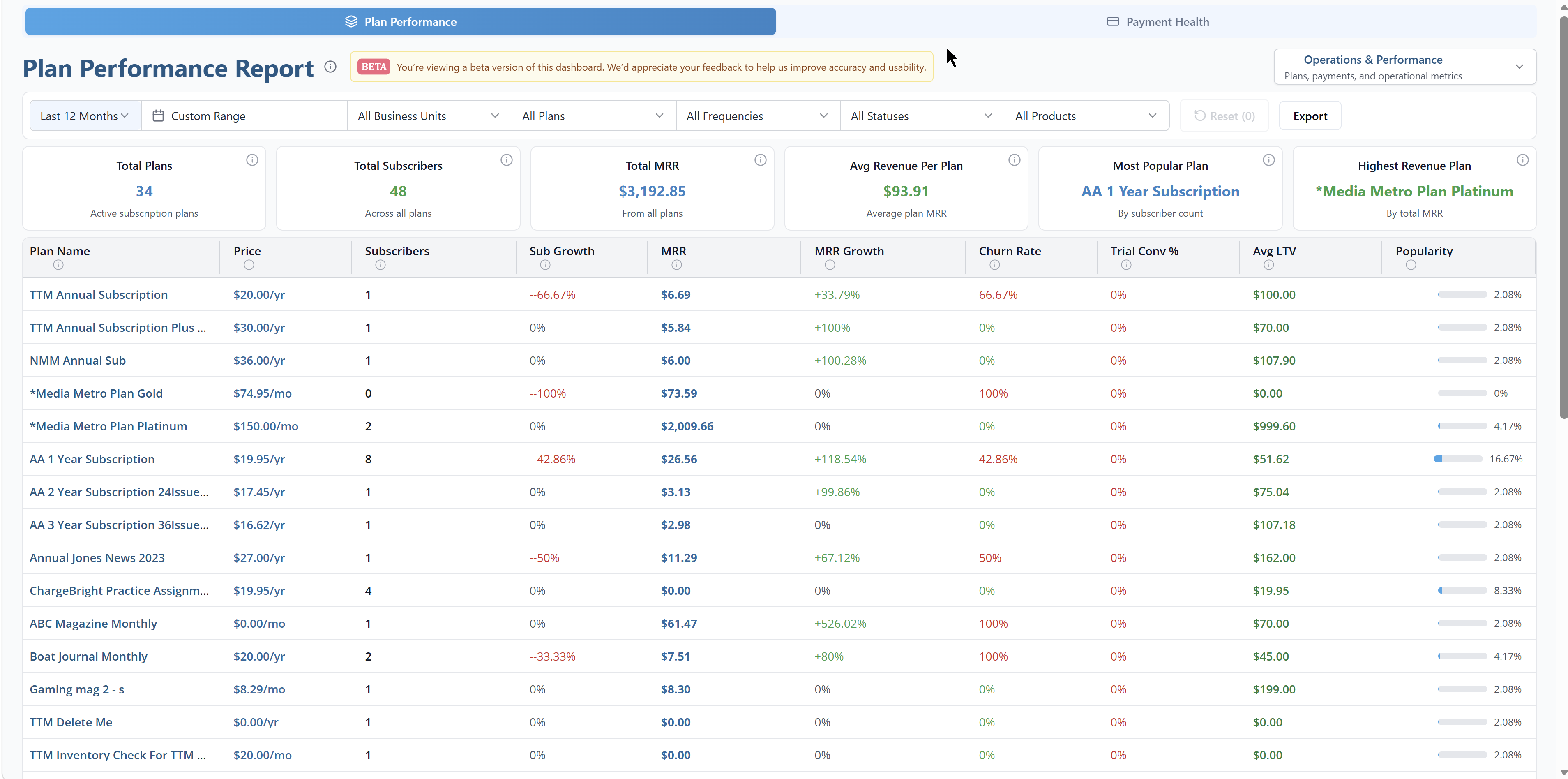
Track subscriber acquisition, retention, churn, lifetime value, and renewal rates by product, channel, and cohort. Forecast subscription revenue and identify at-risk subscribers for targeted retention campaigns.
Consolidate revenue, expenses, profit margins, and cash flow across all business units and brands. Generate board-ready financial reports with drill-down capabilities for detailed analysis.
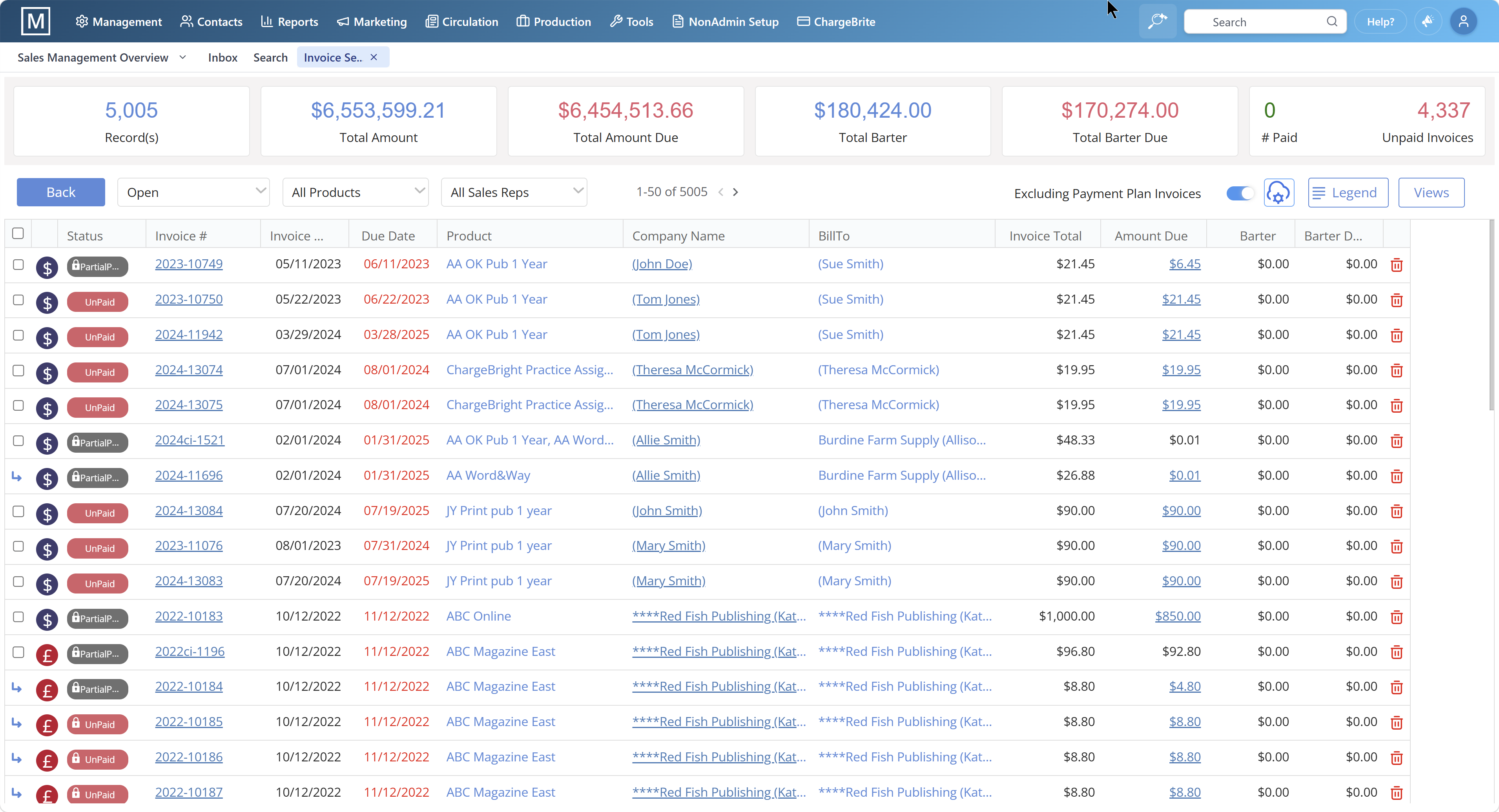
Configure Your Reporting Structure. Define your organizational hierarchy including business units, brands, products, sales territories, and cost centers. Map data fields from magazine ad order management system, automated billing and invoicing, magazine production workflow tracking, and publishing CRM customer data to reporting dimensions.
Select Pre-Built Report Templates. Choose from over 50 industry-standard report templates covering advertising sales, aging receivables, production metrics, sales rep activity, subscription analytics, and financial performance. Customize report parameters including date ranges, filters, groupings, and visualizations.
Schedule Automated Report Delivery. Set up automated email delivery of critical reports to stakeholders on daily, weekly, or monthly schedules. Configure alerts for key performance indicators such as revenue thresholds, aging balances, or production delays.
Build Custom Reports and Dashboards. Use the drag-and-drop report builder to create custom reports tailored to your unique business requirements. Combine data from multiple modules including CRM, advertising orders, billing, production, and subscriptions.
Export and Integrate Data. Export reports to Excel, PDF, or CSV formats for further analysis or distribution. Integrate reporting data with third-party business intelligence tools, accounting systems like QuickBooks and Xero, or data warehouses via API.
Analyze Trends and Take Action. Review dashboards and reports regularly to identify trends, anomalies, and opportunities. Use insights to optimize pricing, forecast revenue, allocate resources, and coach sales teams. Learn how to reduce billing errors with automated reporting.
Relying on Manual Spreadsheets.
Manually exporting data from multiple systems into spreadsheets is time-consuming, error-prone, and creates version control issues. Automated reporting eliminates manual data entry and ensures accuracy. Learn how to reduce billing errors with automated reporting.
Tracking Vanity Metrics Instead of Actionable KPIs.
Focusing on metrics like total page views or social media followers without connecting them to revenue, profitability, or customer lifetime value leads to misguided decisions. Prioritize metrics that directly impact business outcomes.
Ignoring Data Quality Issues.
Inaccurate or incomplete data due to inconsistent data entry, missing fields, or system integration errors undermines reporting credibility. Implement data validation rules and regular data audits.
Generating Reports Without Taking Action.
Producing reports that sit unread in inboxes or are not used to inform decisions wastes time and resources. Establish clear accountability for reviewing reports and acting on insights.
Failing to Segment Data Appropriately.
Aggregating data across all products, markets, or customer segments obscures important trends and opportunities. Use filters and groupings to analyze performance by relevant dimensions.
Not Sharing Insights Across Teams.
Keeping reporting data siloed within individual departments prevents cross-functional collaboration and holistic decision making. Create shared dashboards accessible to all stakeholders.
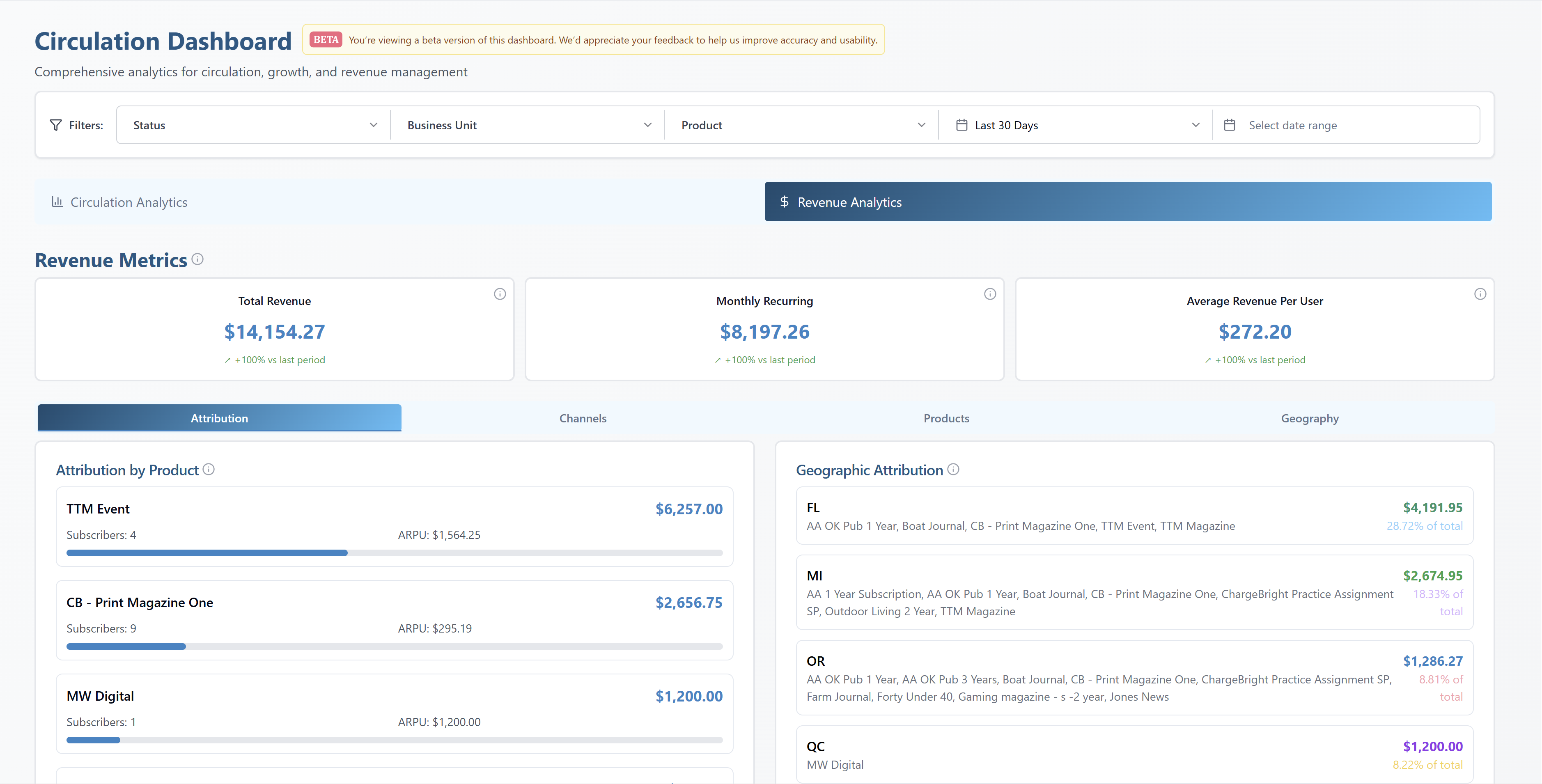
Data-driven decision making is the primary differentiator between high-growth publishers and those struggling to adapt to digital transformation. Publishers who invest in robust reporting and analytics capabilities achieve higher profit margins by optimizing pricing strategies, reducing operational inefficiencies, and improving customer retention.
The Magazine Manager's reporting system is specifically designed for the unique data structures and workflows of magazine publishing, providing pre-configured reports and dashboards that generic business intelligence tools cannot match. With decades of experience serving 33,000+ media products worldwide, our platform incorporates best practices and industry benchmarks that enable publishers to compare their performance against peers and identify improvement opportunities.
The integration of reporting with publishing CRM customer data, magazine ad order management, automated billing and invoicing, and magazine production workflow tracking ensures data consistency and eliminates the need for manual reconciliation across disconnected systems.
Book a 30-minute demo and see how unified dashboards eliminate manual spreadsheets, improve cash flow with aging reports, and drive data-driven decisions across your publishing business.
TL;DR: The Magazine Manager's reporting and analytics module eliminates manual spreadsheet reconciliation by providing real-time, unified dashboards for ad sales, billing, production, and financial performance. Unlike generic CRMs that require custom report development, our native magazine reporting tools deliver instant visibility into revenue trends, aging receivables, sales rep performance, issue profitability, and production workflows—all within a single platform.
Key Benefits: Track billed revenue and cash flow in real-time • Monitor ad order, fulfillment, and production deadlines • Analyze sales rep activity and win rates • Identify aging receivables by advertiser • Measure issue-level profitability across all titles.
Why It Matters: Publishers using The Magazine Manager's reporting dashboards reduce month-end close time, eliminate version control issues from manual spreadsheets, and make data-driven decisions that increase ad sales revenue. Rated 4.8/5.0 on Capterra for ease of use and reporting capabilities.
Perfect For: Publishers managing multiple titles, sales teams tracking quota attainment, finance teams reconciling receivables, and production managers monitoring workflow bottlenecks. Schedule a 30-minute demo to see live reporting dashboards tailored to your publishing operation.