Ad reps, sales managers, and publishers who work outside the office need real-time access to client records, ad orders, and account activity — not a stripped-down mobile view that forces them back to a desktop.
The Magazine Manager is a web-based platform, which means your entire publishing CRM — contacts, insertion orders, proposals, invoices, production status, and reporting — is accessible from any device with a browser. Whether you are at a trade show, visiting an advertiser, or working remotely, the data you need is exactly where you left it.

Every task that used to require a desk can now happen in the field.
Because The Magazine Manager runs entirely in a web browser, there is no separate mobile app to install, no syncing required, and no version lag between what a rep sees on their phone and what the office sees on their desktop. The same live data, the same pipeline, the same client records — everywhere.
Before walking into an advertiser meeting, a rep can open the account on their phone and see the full contact history, open proposals, current ad schedule, outstanding invoices, and notes from the last call — all in one screen.
Log a call, schedule a follow-up, or add a meeting note immediately after it happens. Activity entered from a mobile browser is visible to the entire team instantly — no end-of-day data entry catch-up required.
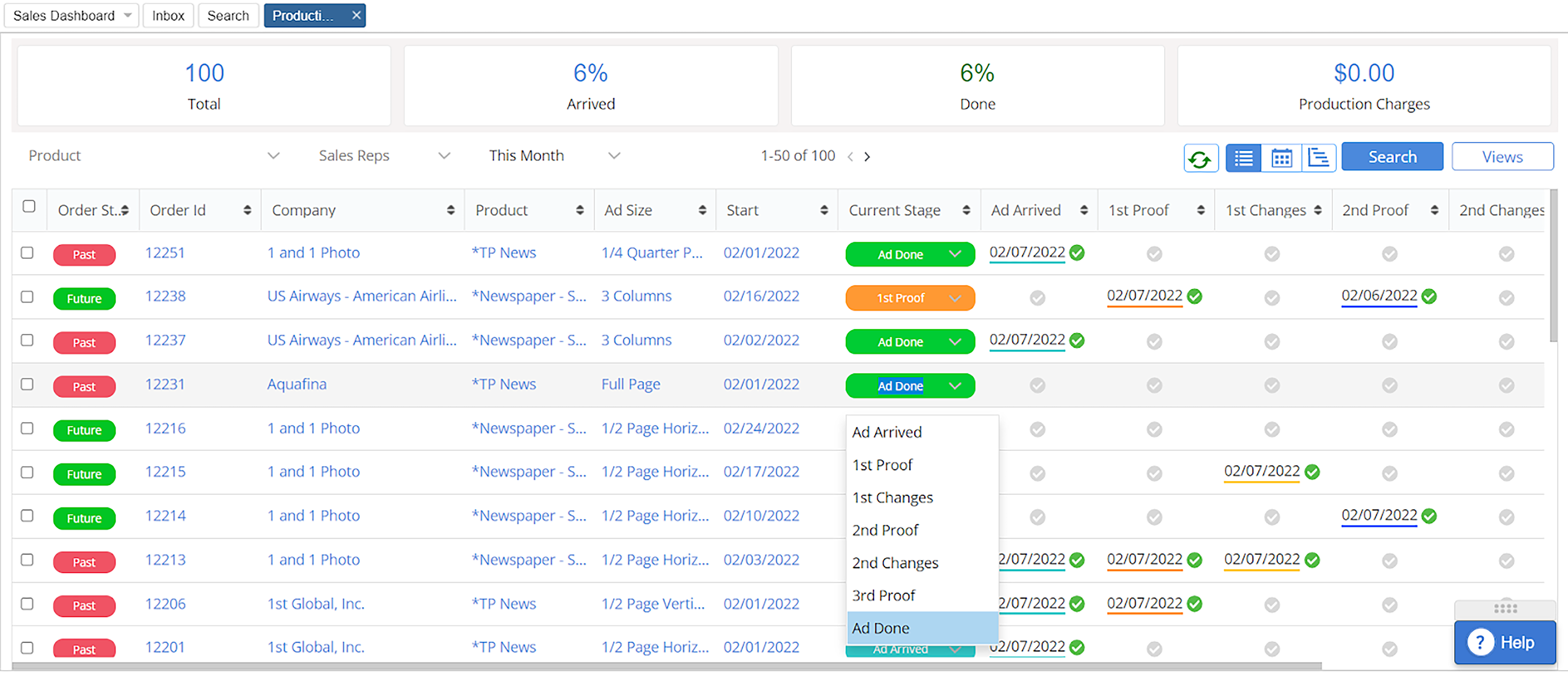
Reps can confirm what a client has booked, what issues are coming up, and what is still outstanding without calling the office. Production managers can check job jacket status from anywhere in the building or off-site.
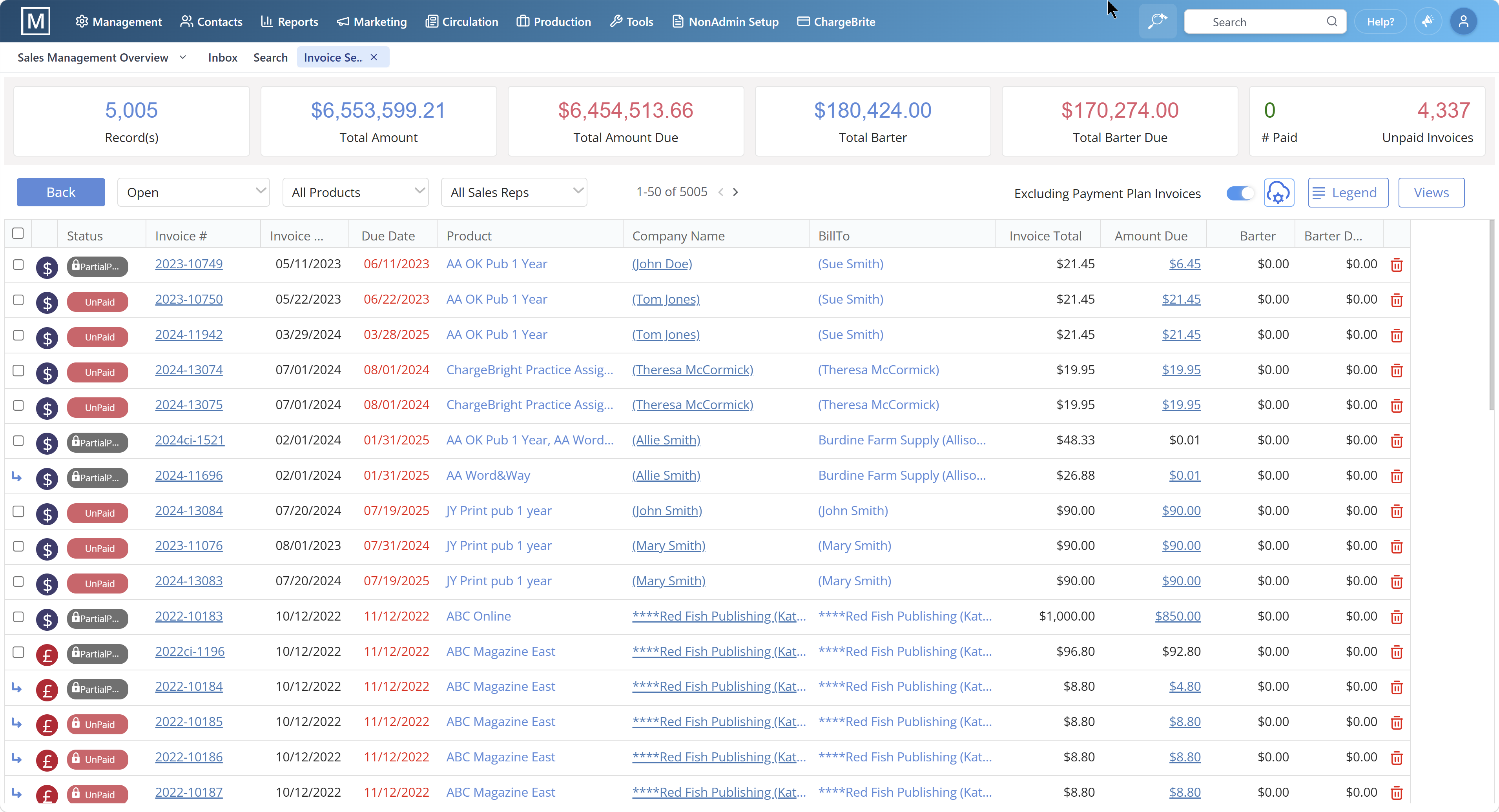
Create and send a proposal or invoice directly from a mobile browser. Clients receive a professional, branded document and can approve or pay electronically — the entire cycle can close without either party touching a desktop.
Sales managers can review rep activity, pipeline pacing, and A/R aging from their phone. The same reporting tiles and dashboards available on desktop render in the browser on any screen size.
New contact details, updated billing information, or a photo of a business card can be entered directly into the system from a mobile device, keeping records current without waiting to get back to the office.
This is what mobile access to a publishing-native CRM actually looks like in practice — not a demo scenario, but the real sequence a rep works through when they are away from their desk.
The rep opens The Magazine Manager in their mobile browser and pulls up their scheduled callbacks and follow-ups for the day. Advanced search filters let them sort by account status, issue date, or rep-assigned priority — the same filters available on desktop.
On the way to an advertiser visit, the rep opens the client record and reviews the full contact history, the current ad schedule, any open invoices, and the notes from the last three interactions. They walk in prepared.
Using the mobile browser, the rep creates a new proposal with the relevant rate card, selects the issues, and sends it for electronic approval before leaving the client's office. The proposal appears in the client's inbox immediately.
The rep adds a call note summarizing the conversation and schedules a follow-up callback. This activity is visible to their sales manager in real time — no end-of-day report needed.
The sales manager reviews the day's rep activity, checks the pipeline for deals moving toward close, and looks at the A/R aging summary — all from their phone before the workday ends.
Verified Capterra reviewers of The Magazine Manager on remote access and day-to-day usability.
"You are able to upload client information from your smart phone or computer. You have all your pertinent client information available when you are on the go. You are able to view all notes and activity that has taken place."
"If my publisher needs anything from me when I am out of the office, all she has to do is go into my Magazine Manager and everything is at her fingertips."
"For the sales staff the ease of access is great ... from just about anywhere."

Practical answers for sales managers and reps evaluating mobile publishing workflows.