Ad Sales Workflow Guide
Stop losing revenue to disconnected tools, manual follow-ups, and billing delays — here is how modern publishers are fixing the entire cycle in one place.
Streamline your ad sales workflow by unifying proposal creation, approval routing, order conversion, creative collection, invoicing, and payment collection in one platform. Eliminating manual handoffs between these six stages removes the errors, delays, and revenue leaks that plague disconnected publishing stacks — and gives your team a live view of every deal from first contact to final payment.
For most publishing teams, the ad sales process is a patchwork of spreadsheets, email threads, PDF proposals, and separate invoicing software — each handoff a chance for a deal to stall, a deadline to slip, or a payment to go untracked. The result is predictable: sales reps spend more time chasing paperwork than closing advertisers, production teams receive incomplete briefs, and finance is left reconciling numbers that never quite match.
This guide walks through every stage of the ad sales workflow — from the first proposal to final payment — and shows how The Magazine Manager connects each step into a single, automated system. Whether you manage a regional trade publication or a multi-title media group, the principles are the same: fewer manual touchpoints, faster approvals, and a revenue pipeline you can actually see in real time.
Workflow Breakdown Points
Most ad sales teams do not lose revenue in one dramatic moment. They lose it slowly, deal by deal, at the invisible handoff points between stages — the gaps where a promising proposal quietly dies or an approved order never becomes an invoice.
When reps juggle spreadsheets, email threads, and disconnected CRM notes, follow-up timing slips. A prospect who was ready to commit last Tuesday gets a call on Friday, and the moment has passed. Without a centralized view of where every advertiser sits in the pipeline, opportunities stall before they ever reach the proposal stage. Common symptoms: proposals sent without checking live inventory, rate cards that live in a shared drive nobody updates, and no record of what was offered to whom.
A client says yes verbally or over email, but converting that agreement into a formal insertion order requires someone to manually re-enter the same information into a different system. That duplication takes time, introduces errors, and creates a window where deals can fall through entirely. Sales reps move on to the next prospect while the paperwork sits unfinished. A wrong insertion date at this stage means a production team chasing the wrong deadline; a miskeyed rate means an invoice dispute weeks later.
A signed order does not mean the ad is ready to run. The layout team is blocked until the advertiser delivers artwork — and without an automated request tied to the order, that request often never goes out, or goes out late. Every day of delay is a day the invoice cannot be generated and cash flow sits idle.
Receiving the artwork is not the same as running the ad. Files arrive in the wrong format, at the wrong resolution, or missing required elements — and if the validation step happens manually, those problems surface during layout rather than at submission. A single non-compliant file can delay an entire issue section, push a close date, and hold up the invoices tied to every ad on those pages.
In many publishing operations, the billing team only learns an ad ran when someone tells them — which may be days or weeks after the issue closes. That lag delays cash flow, creates disputes over what was actually delivered, and forces account managers to spend time reconciling records instead of selling.
Sending an invoice is not the same as collecting payment. Without automated reminders and a self-service way for advertisers to pay, outstanding balances sit idle while reps write follow-up emails instead of closing new business. Days sales outstanding climbs, cash flow tightens, and the relationship with the advertiser subtly frays with every awkward chasing call.
The compounding problem — no shared record
When your CRM, order management system, and billing platform do not communicate, every team is working from a different version of the truth. Sales believes the deal is closed. Production is waiting on assets. Billing has no record of the order at all. Recognizing these handoff points is the first step toward fixing them. The sections that follow map each stage of the workflow and show exactly where automation closes the gaps.
Turn media kit data, rate cards, and live inventory into polished proposals — before a single back-and-forth email is sent.
The proposal stage is where most ad sales workflows quietly fall apart. A rep pulls rate information from a spreadsheet, checks inventory availability in a separate system, manually assembles a quote in a word processor, and emails it to the prospect — only to discover the ad unit was already sold, the rate was outdated, or the formatting looked unprofessional on the client's screen. Every revision cycle costs time and erodes buyer confidence.
The Magazine Manager is built to eliminate that friction from the very first step. Its ad order management system connects live inventory, rate card data, and CRM records into a single proposal-building environment — so every quote your team sends is accurate, professional, and traceable.
The Magazine Manager's ad order management system gives your team real-time inventory visibility across issues and placements at the proposal stage, so quotes are built on accurate availability — not assumptions. If a full-page spread in the November issue is already spoken for, your rep sees that immediately and can offer an equally strong alternative without a follow-up call — preventing oversells and double bookings before they happen.
The Magazine Manager keeps your rate card data inside the CRM itself, so reps select placements and pricing tiers from a single source of truth. There is no switching between tabs or hunting through shared drives. The correct rate populates automatically, and any negotiated adjustments are logged against the contact record for full transparency — eliminating the pricing errors that trigger disputes downstream.
Advertisers want to see audience reach, circulation figures, and demographic data alongside pricing. Because The Magazine Manager centralizes your publishing CRM data — including audience and contact information — reps can draw on that material when building a proposal rather than attaching a separate PDF and hoping the numbers match. Everything lives in one platform, so the proposal reflects a consistent, current picture of your publication.
The Magazine Manager allows your team to deliver proposals in a clean, branded format — no copy-pasted emails or inconsistent layouts. The proposal goes out looking polished, and your team retains a record of exactly what was offered, at what rate, and when. Follow-up conversations start from a position of clarity rather than confusion, and every version is logged so there is no dispute about what was agreed.
Structured digital approvals replace scattered email chains and keep every deadline on track.
The Magazine Manager's approval workflow stage replaces email-based sign-off chains with a defined digital sequence — because once a proposal is accepted, the approval process is where momentum most often dies. A single insertion order can require sign-off from the advertiser, the sales rep, the art director, and the finance team. When those approvals travel by email, threads splinter, attachments get buried, and nobody knows who is waiting on whom. Deadlines slip not because of bad intent, but because the process itself has no visibility.
The core problem with email-based approval chains is the absence of a single source of truth. One version of a contract sits in a sales rep's outbox, another in the client's downloads folder, and a third in a manager's inbox marked for later. When a change is requested, the cycle restarts — more emails, more versions, more confusion about which copy is current.
Structured digital approval workflows replace this chaos with a defined sequence. Each stakeholder receives an automated notification exactly when their input is required — not before, not after. They review, comment, or approve within a centralized portal, and the system automatically advances the order to the next stage the moment approval is granted. Every action is time-stamped and logged, so there is a complete audit trail if a dispute arises.
The Magazine Manager builds this logic directly into its ad management system. Approval tasks are assigned to specific roles, due dates trigger automatic reminders, and managers can see at a glance which orders are pending, approved, or stalled. Nothing moves forward without the right sign-offs, and nothing gets lost waiting for a reply that never comes.
The Magazine Manager's approval workflow sends automated notifications to each stakeholder only when their sign-off is required in the approval sequence — preventing premature requests, keeping the order of review orderly, and ensuring no approver is contacted before the preceding stage is complete.
The Magazine Manager routes all versions, comments, and approval decisions through a centralized review portal, eliminating conflicting document copies and the version confusion that derails email-based approval chains. Every stakeholder works from the same current document.
The Magazine Manager moves an insertion order to the next approval stage automatically the moment the current sign-off is granted — no manual handoff, no waiting for a rep to forward an email, and no risk of an approved order sitting idle between stages.
The Magazine Manager fires automatic reminders before approval due dates, reducing the need for sales reps to chase approvers manually and keeping issue close schedules intact even when stakeholders are managing competing priorities.
The Magazine Manager time-stamps and logs every approval action in the order record, giving managers complete visibility into who approved what and when — and providing a clear, defensible record if a dispute arises after the issue closes.
Order Entry Stage
Every time a rep re-keys an approved proposal into a separate order management system, the workflow bleeds time, money, and accuracy.
The Magazine Manager eliminates duplicate data entry at the order entry stage — the point where most ad sales workflows silently hemorrhage accuracy and time. Picture the scene: a client signs off on a multi-insertion proposal, and your sales rep celebrates for about thirty seconds before sitting back down to manually re-enter every line item — publication, issue date, ad size, rate, discount, and billing contact — into the order management system. Across a typical sales team, this kind of duplicate data entry can consume significant hours each week, and every keystroke is another opportunity for a figure to be transposed, a rate to be misquoted, or an issue date to be entered incorrectly.
The downstream cost of those errors compounds quickly. A wrong insertion date means a production team chasing the wrong deadline. A miskeyed rate means an invoice that does not match what the client agreed to, triggering disputes, credit notes, and the kind of back-and-forth that erodes trust and delays payment.
The fix is automatic proposal-to-order conversion. When your CRM and order management system share a single data layer, an approved proposal does not need to be re-entered — it becomes the order. The moment a client signs or a rep marks a proposal as won, every detail flows directly into the order record without human intervention. Line items, pricing, billing schedules, and contact information carry over exactly as agreed, with no transcription step in between.
The Magazine Manager is built around this principle. Proposals created inside the platform convert seamlessly into confirmed orders, preserving every detail and triggering the next stage of the workflow automatically. Production teams see accurate insertion instructions. Billing sees the correct rate. Nothing lives in a spreadsheet waiting to be copied somewhere else.
The Magazine Manager converts an approved proposal into a confirmed order the moment a rep marks it as won — no manual re-entry required. The client's sign-off becomes the trigger, and every agreed detail carries over automatically into the order record.
The Magazine Manager transfers every line item — publication, issue date, ad size, rate, discount, and billing contact — directly from the approved proposal into the confirmed order record, preserving the exact terms agreed during the proposal stage and eliminating transcription errors.
The Magazine Manager routes accurate insertion instructions drawn from the confirmed order directly to the production team, eliminating the risk of wrong deadlines or incorrect specifications caused by manual re-entry between the sales and production stages.
The Magazine Manager ensures the billing system sees the correct rate and schedule from the moment the order is created — so invoices match client expectations, payment disputes are avoided before they start, and the billing cycle can begin without a separate data-entry step.
Missing artwork does not just delay production — it holds your invoices hostage.
Most publishers think of billing as a finance problem. In practice, one of the most common reasons invoices go out late is that the creative assets never arrived on time — or arrived in the wrong format, or got buried in someone's inbox. Creative asset collection is the silent gap between a signed order and a completed ad run, and it costs real revenue every production cycle.
The problem compounds quickly. A sales rep closes a deal, the order enters the system, and then the workflow stalls waiting on a logo, a high-resolution image, or final copy from the advertiser. Meanwhile, the layout team is blocked, the issue closes, and billing cannot be triggered until the ad actually runs. Every day of delay is a day your cash flow sits idle.
The Magazine Manager addresses this stage by connecting the advertiser directly to the production process from the moment the order is placed — automating asset requests, centralizing submissions, and notifying the layout team the moment files are ready.
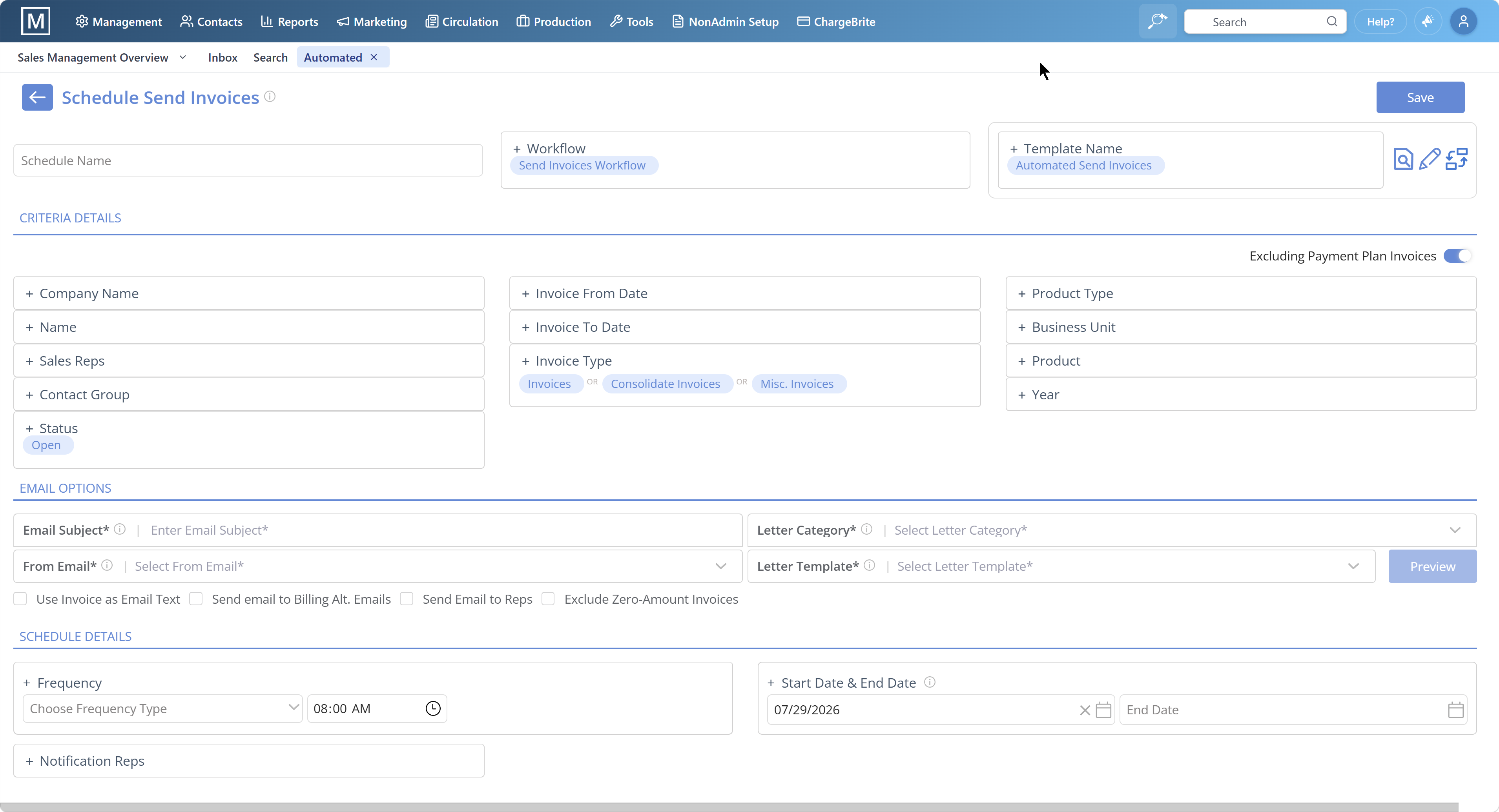
The Magazine Manager sends an automated notification to the advertiser requesting their creative files the moment an ad order is confirmed — no manual chasing required from your team, and no risk of the request being forgotten while the rep moves on to the next deal.
The Magazine Manager provides advertisers with a centralized upload portal tied to their specific order, eliminating email attachments, version confusion, and files landing in the wrong inbox — so the right assets reach the right place every time.
The Magazine Manager checks uploaded assets against your publication's technical specifications automatically, flagging resolution issues or incorrect dimensions before they reach the layout team — catching problems at the source rather than during production.
The Magazine Manager notifies your layout team instantly when assets pass validation, with files linked directly to the correct order — no hunting through email, no manual file transfer, and no delay between asset receipt and production handoff.
The Magazine Manager allows invoice generation to be tied to confirmed asset receipt and ad placement, so your billing cycle runs on verified facts rather than follow-up emails — closing the loop between creative collection and revenue collection.
When invoices are tied to delivery data, billing errors disappear and cash arrives faster.
Manual invoicing is one of the most quietly damaging habits in ad sales. A sales rep pulls up a spreadsheet, cross-references a media schedule, types in line items from memory, and hopes nothing was missed. The result is a billing cycle full of delays, disputes, and revenue that quietly slips through the cracks. The Magazine Manager eliminates that process entirely by connecting invoicing directly to the ad management and production data already living inside the platform — so invoices generate from confirmed delivery facts, not from manual reconstruction.
The Magazine Manager tracks every ad order, placement, and issue date within a single system, so an invoice can be generated the moment an ad runs — not days or weeks later when someone finally gets around to it. Line items pull directly from the confirmed order, so the publication, issue, size, rate, and any agreed discounts are already populated. There is no re-keying, no cross-referencing a separate spreadsheet, and no risk of billing for a placement that was changed at the last minute.
The Magazine Manager originates billing data from the same record the sales team built during the proposal stage, making discrepancies between what was sold and what was billed rare. Advertisers receive invoices that match the insertion orders they approved, which shortens the approval cycle on their end and reduces the back-and-forth that delays payment.
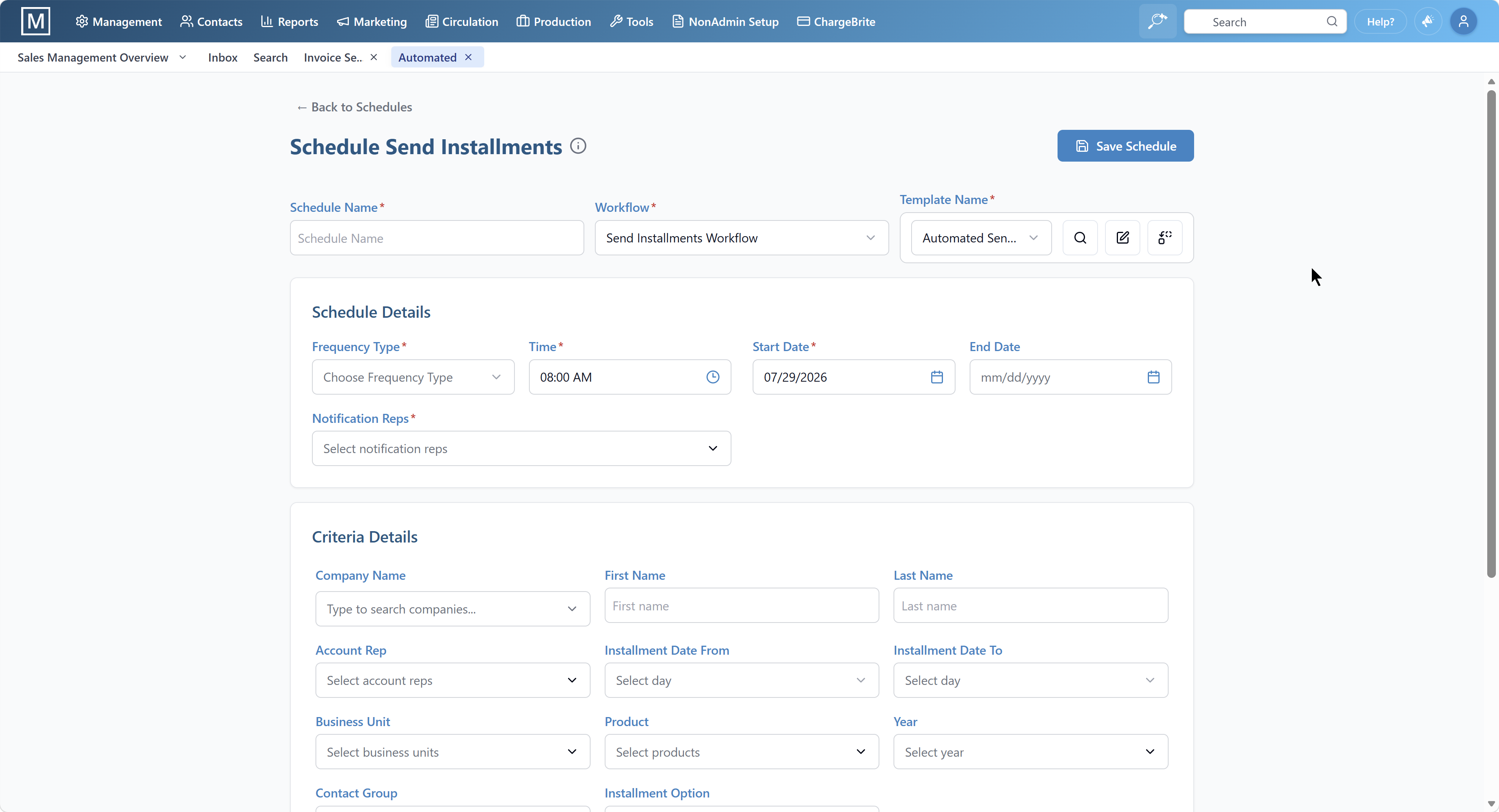
The Magazine Manager integrates directly with QuickBooks and Xero, so invoices, payments, and revenue data stay in sync across your finance stack without manual reconciliation. Finance teams gain a clear, reconciliation-ready view of what has been billed, what is outstanding, and what has been collected — without toggling between disconnected tools.
The Magazine Manager's integrated billing system keeps the entire workflow — from signed order to delivered invoice — inside one platform, closing the gap that ties up cash and gives advertisers time to question charges. The longer that gap, the greater the risk; eliminating it protects both cash flow and advertiser trust.
Self-service portals and automated reminders cut days sales outstanding without pulling your reps away from selling.
Payment collection is where many ad sales workflows quietly fall apart. Invoices go out, deadlines pass, and reps find themselves writing follow-up emails instead of closing new business. The result is inflated days sales outstanding and strained advertiser relationships — both of which are avoidable.
The most underused fix is the self-service advertiser payment portal. Rather than routing every payment through a rep or billing coordinator, advertisers log in on their own schedule, review outstanding invoices, and pay directly. There is no phone tag, no waiting on a forwarded email, and no friction that delays settlement. Advertisers increasingly expect this kind of autonomy, and publishers who offer it collect faster.
Automated payment reminders are the second lever most publishers leave unpulled. Instead of a rep manually tracking due dates and drafting individual follow-ups, the system sends sequenced, pre-written reminders at defined intervals — seven days before due, on the due date, and again if the invoice ages past it. Each message goes out consistently and on time, regardless of how busy the sales team is. The tone stays professional, the relationship stays intact, and the rep never has to be the one delivering an awkward nudge.
The Magazine Manager brings both capabilities into the same platform that handled the original proposal and contract. Invoices generated from signed insertion orders flow directly into the billing system, and advertisers can be granted portal access to view balances and submit payment without any manual handoff. Automated reminder sequences run in the background, escalating appropriately as invoices age.
The Magazine Manager gives advertisers direct access to view and pay outstanding invoices on their own schedule — eliminating back-and-forth between reps and clients, and reducing the time between invoice delivery and payment receipt without any manual follow-up from your team.
The Magazine Manager sends sequenced reminder messages that trigger automatically before and after invoice due dates, keeping outstanding balances top of mind without requiring any manual follow-up from your sales or billing team — so the relationship stays professional and the rep stays focused on selling.
The Magazine Manager routes invoices directly from executed insertion orders into the billing system, eliminating re-entry errors and ensuring every billable line item agreed during the proposal stage is captured accurately — with no separate data-entry step between order and invoice.
The Magazine Manager escalates reminder cadence automatically as invoices move past their due date, so overdue accounts receive appropriate follow-up without a rep needing to monitor each one individually — protecting cash flow without straining advertiser relationships.
The ad sales workflow described in this guide — proposal, approval, order, creative collection, invoice, payment — applies to every channel a publisher sells. The problem is that most publishing teams are not selling one channel; they are selling print placements, digital display, email newsletter sponsorships, event partnerships, and programmatic inventory, often bundled together in a single proposal. When each of those channels lives in a separate tool, the workflow does not just become more complex — it breaks at every handoff.
The fragmentation problem in practice. A sales rep builds a multi-channel proposal: a full-page print ad in the November issue, a leaderboard on the website for thirty days, and a sponsored slot in the weekly newsletter. The print placement is tracked in the publishing CRM. The digital inventory is managed in a separate ad server. The newsletter sponsorship is logged in a spreadsheet. The rep assembles the proposal manually, pulling numbers from three systems and hoping the inventory is still available by the time the client responds.
When the client approves, the rep creates three separate orders in three separate systems. Production receives a brief for the print ad but has no visibility into the digital or newsletter components. The digital team confirms delivery independently. The newsletter coordinator marks the slot as used in their spreadsheet. Billing pulls from two of the three systems and misses the newsletter line item entirely. The invoice goes out short, the client notices, and the correction cycle begins.
What unified multi-channel management changes. When all channels are managed within a single platform, a multi-channel proposal is a single document. Inventory availability is checked across all channels simultaneously at the point of proposal creation — preventing the double bookings and oversells that happen when channels are tracked separately. The approved proposal converts into a single order record that routes accurate briefs to every relevant team. Billing pulls from one confirmed record, so the invoice captures every line item agreed during the proposal stage.
The Magazine Manager centralizes proposals, contracts, ad orders, revisions, invoicing, and fulfillment across print, digital, email, programmatic, and events within one platform — so the multi-channel proposal that would require three separate systems in a fragmented stack is handled end-to-end in one place.
The reporting benefit. Beyond workflow efficiency, unified multi-channel management changes what you can see. When all channels report into the same system, you can measure total advertiser value across channels, identify which channel combinations drive the highest renewal rates, and forecast revenue by channel without assembling data from multiple exports. That visibility is impossible when each channel lives in its own tool.
Most ad sales workflow guides stop at payment collection. That is a mistake — because for most publishers, the most predictable source of revenue is not a new advertiser; it is the advertiser who ran last year and has every reason to run again. Renewal workflow automation is the stage that determines whether that revenue is captured systematically or left to chance.
In a manual workflow, renewal outreach depends entirely on a rep remembering to look at last year's contracts at the right time. That memory is unreliable. A rep managing a full book of business across multiple titles and issue cycles cannot reliably track which contracts expire in six weeks, which advertisers ran in the spring issue last year, and which accounts have not been contacted since Q3. The result is predictable: some renewals happen because a rep happened to check, others are missed entirely, and the publisher discovers the gap when the issue closes with unsold inventory.
The problem compounds when reps turn over. Institutional knowledge about which advertisers renew annually, which need a rate conversation first, and which have standing multi-issue commitments walks out the door with the rep. Without a system that tracks renewal history independently of individual reps, that knowledge is lost.
A properly configured renewal workflow begins the moment an insertion order is signed. The system records the contract term, the issue schedule, and the renewal date — and it flags the account for outreach at a defined interval before that date arrives. The rep receives an automated task: contact this advertiser, reference last year's campaign, and present a renewal proposal. The proposal can be pre-populated with last year's placements and rates, adjusted for any rate card changes, and sent for electronic approval without starting from scratch.
If the advertiser does not respond, the system escalates — a second outreach task, then a manager alert if the account remains uncontacted as the close date approaches. Nothing falls through the cracks because the process does not depend on anyone remembering.
Renewal revenue is the most efficient revenue a publishing team can generate — the relationship already exists, the advertiser already knows the publication, and the sales cycle is shorter. Publishers who automate renewal tracking consistently find that the volume of renewals captured increases simply because the outreach happens consistently, not because the sales team grew or the market improved.
The Magazine Manager connects renewal tracking directly to the same platform that manages proposals, orders, and billing. Renewal tasks surface automatically based on contract history, pre-populated proposals draw on existing rate card and order data, and the full renewal cycle — from outreach to signed IO to invoice — runs through the same workflow as a new sale. There is no separate renewal system to maintain, and no gap between the renewal conversation and the order record.
Most ad sales teams calculate commissions from proposals or insertion orders — documents that reflect what a client agreed to buy, not what actually ran. That distinction matters more than most publishers realize. An ad can be resized, rescheduled, or cancelled after the order is signed. A client might receive a make-good. A campaign might run at a reduced rate following a billing dispute. When commission calculations are disconnected from these downstream changes, reps get paid for placements that never appeared, or they get shorted on deals that ran perfectly.
The result is a slow-burning problem: reps who distrust their commission statements, sales managers spending hours reconciling spreadsheets, and finance teams issuing manual corrections every close cycle. None of that is visible on a single insertion order — it only surfaces when you trace the full lifecycle of an order from proposal through production to invoice.
The Magazine Manager connects commission tracking directly to that lifecycle. Because the platform manages proposals, orders, production status, and billing in a single system, commission calculations reflect what was actually invoiced and confirmed as delivered — not just what was originally sold. When an order is modified, the commission record updates accordingly. When a cancellation is logged, it does not silently inflate a rep's payout.
This kind of closed-loop tracking eliminates the guesswork that causes rep disputes and accounting errors. Sales reps gain confidence that their statements are accurate. Finance teams close faster because the numbers already reconcile. And sales managers can focus on coaching performance rather than auditing commission reports line by line.
Related guide: Magazine ad sales complete guide
Reporting and Pipeline Visibility
A streamlined workflow is only as valuable as your ability to see it. When proposals, orders, creative collection, invoicing, and payments all live in separate systems, building a coherent picture of your revenue pipeline requires pulling data from multiple sources, reconciling it manually, and hoping nothing was missed in the export. By the time a report is ready, the numbers are already stale.
Publishing teams that consolidate their ad sales workflow into a single platform gain something more valuable than efficiency — they gain visibility. When every stage of the cycle lives in one system, reporting becomes a live view rather than a retrospective exercise.
The most immediately useful reports for ad sales teams fall into three categories. Pipeline reports show where every active deal sits — how many proposals are outstanding, which have been approved, and which are stalled waiting on a decision. These reports let sales managers identify bottlenecks before they become missed deadlines, and they give reps a clear picture of their own book of business without digging through email threads.
Revenue reports connect what was sold to what was billed and what has been collected. For publishers running multiple titles or multiple issue cycles simultaneously, this kind of consolidated view is essential. It surfaces which titles are performing, which advertisers are consistently late payers, and where the gap between booked revenue and collected revenue is widest.
Accounts receivable aging reports are the third critical view — and the one most likely to directly impact cash flow. An A/R aging summary shows every outstanding invoice organized by how long it has been unpaid, making it straightforward to prioritize collection efforts and identify accounts that need escalation before they become write-offs.
The Magazine Manager surfaces all of these views within the same publishing CRM used to create proposals and manage orders. Sales managers, finance teams, and executives can each access the dashboards relevant to their role without waiting on a report to be assembled by someone else. When the data is live and centralized, decisions happen faster — and revenue that might otherwise slip through the cracks gets captured instead.
Related guide: Magazine ad sales complete guide
The most common mistake publishers make when evaluating ad sales software is starting with brand recognition rather than workflow fit. HubSpot and Salesforce dominate broader sales conversations, and their names carry weight. But neither was designed around the concepts that define a publisher's revenue cycle — and those gaps show up at exactly the stages where ad sales workflows are most fragile.
The rate card problem. A rate card is not just a price list — it is a structured set of placement options, issue-based pricing tiers, frequency discounts, and package configurations that change by title, channel, and advertiser relationship. Generic CRMs have no native concept of a rate card. Reps either maintain a separate spreadsheet and manually reference it during proposal creation, or they build custom fields that approximate the logic but break down when pricing changes. Either approach introduces the pricing errors that trigger invoice disputes downstream. The gap is architectural, not cosmetic — and it shows up every time a rep has to cross-reference a separate document before sending a quote.
The issue-close problem. Magazine and newspaper ad sales are organized around issue close dates — hard deadlines that determine when inventory locks, when creative must be received, and when billing can begin. Generic CRMs track deals by stage, not by issue. There is no native concept of an issue close, no inventory that locks when a deadline passes, and no billing logic tied to confirmed delivery. Publishers who have tried to configure general-purpose CRMs for publishing workflows consistently report that the customization required is substantial and ongoing.
The insertion order gap. An insertion order is a legally binding document that specifies exactly what was sold — placement, size, issue, rate, and billing terms. In a generic CRM, an 'opportunity' or 'deal' is a flexible record that can hold almost anything, but it has no native insertion order structure, no electronic signature workflow tied to publishing-specific terms, and no automatic conversion into a production brief or billing record. That gap means someone has to manually translate the CRM record into an IO, and then manually translate the signed IO into an order entry — two duplication steps that introduce errors and consume time at every close.
The multi-channel inventory problem. Modern publishers sell across print, digital, email newsletters, events, and sponsorships — often bundling placements across channels in a single proposal. Generic CRMs have no inventory layer for any of these channels. There is no way to check whether a digital banner unit is already sold for a given date range, or whether a newsletter sponsorship slot is available for the next three issues. Proposals go out without availability checks, double bookings happen, and the resulting corrections damage advertiser trust.
Publisher-native platforms are architected around these concepts from the ground up. Rate cards, issue closes, insertion orders, and multi-channel inventory are not add-ons or workarounds; they are the foundation. The practical result is that the workflow stages where generic CRMs require manual intervention — proposal to order, order to production, delivery to invoice — happen automatically in a purpose-built system.
Platform Decision Framework
The right tool is determined by where your workflow breaks down — not by brand recognition. Use these capability gaps to guide your evaluation.
An ad sales workflow covers six stages: proposal creation, approval routing, order entry, creative asset collection, invoicing, and payment collection. Streamlining it means connecting these stages in one platform so approved proposals auto-convert to orders, invoices generate from delivery data, and payment reminders run automatically — eliminating manual re-entry at every handoff.
When ad sales teams evaluate software, the instinct is often to reach for a familiar name. General-purpose CRMs dominate broader sales conversations, but familiarity is not the same as fit. For publishers, the critical question is not which platform has the largest market share — it is which platform handles the specific handoffs where deals stall: proposal to order, order to creative collection, and delivery to invoice.
Some general CRMs are well-suited for publishers with straightforward sales pipelines or those already embedded in a broader marketing ecosystem. However, they typically have no native insertion order automation, no publisher billing logic, and no inventory management for ad space. Closing those gaps generally requires significant custom development work that most publishing teams are not resourced to maintain.
Highly configurable enterprise CRMs can be built to handle almost any workflow, but that flexibility comes at a cost. Ad sales processes, insertion orders, and publisher billing must be custom-built from scratch, requiring dedicated administrators and substantial implementation investment. For large media enterprises with complex multi-brand operations and deep technical resources, that trade-off may be acceptable. For small-to-mid-size publishers who need out-of-the-box automation, it rarely is.
Publisher-native platforms are built around the actual stages of an ad sales cycle — with insertion order management, creative asset collection, delivery-based invoicing, and advertiser payment portals as core features rather than add-ons. These are not capabilities bolted on through integrations — they are native to how the platforms are architected.
The decision framework is straightforward: if your team is manually re-entering order data after proposal approval, chasing creative assets outside your CRM, or reconciling invoices against a separate billing system, a general CRM is adding friction at every handoff. Publisher-native platforms exist specifically to eliminate that friction.
"Magazine Manager is specifically designed for those of us in the print and digital publishing industry and it is crucial to our sales success. It is extremely easy to learn and apply immediately. With this software, we are able to quickly and easily pull targeted email lists to generate sales, electronically invoice clients in literally minutes, take payments, and with a click of a button know what our clients' ad schedules are, what they have paid and what they owe. It is totally transparent - the reporting for a sales manager - and accounting - is outstanding. I receive as often as I wish emails listing calls by rep, meetings, sales booked, and more. The digital tearsheets are invaluable. Client portals allow customers to upload their own ads and pay electronically any time. It is so easy to create new reports. As a past Salesforce user, this is SO much easier to use and because it is made for ad sales, the company deeply understands the details of exactly what we need from this software."
"The Magazine Manager is tailored to our industry and they are always looking for ways to get more from the data so I can make informed decisions on the progress of our publications. With the CRM, billing, and production modules everyone uses the same software making it much easier for everyone to do their job."
"One of the things that is helpful about The Magazine Manager is the comprehensive ability to keep customer and client records and to invoice people directly through the program. On a daily basis, I utilize the search functions and functionality. Through Magazine Manager, I find it helpful to use functions such as sales reports, the A/R Aging Summary, and other features. I also find it helpful to be able to have multiple members of our team adding information to client records and to keep up to date with communicating with our clients through the database."
Book a free demo and see how The Magazine Manager connects every stage of your ad sales cycle — from first proposal to final payment — in a single platform built for publishers.